llms.txt and llms-full.txt

View as Markdown

llms.txt is a standard for exposing website content to AI developer tools. Fern implements this standard, automatically generating and maintaining llms.txt and llms-full.txt Markdown files for your documentation site. When an LLM bot accesses your docs, Fern serves these Markdown files instead of HTML, reducing token consumption by 90%+.

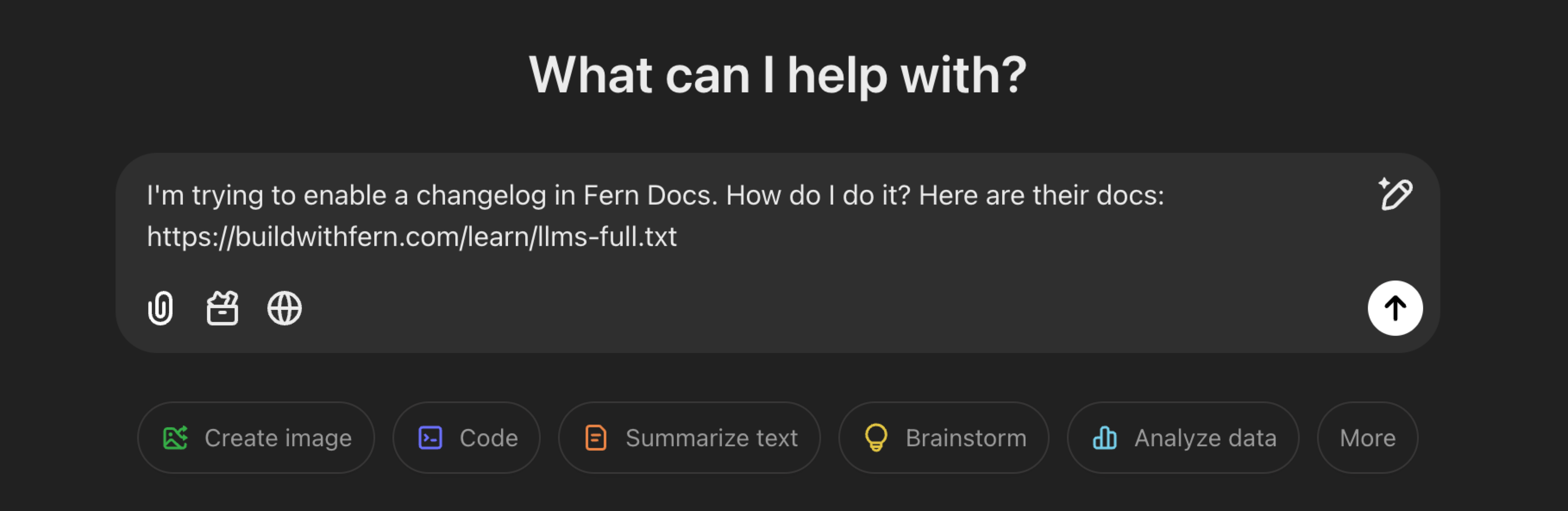
Example of using llms.txt

Generated files

Fern generates two files for LLMs:

  • llms.txt contains a lightweight summary of your documentation site with each page distilled into a one-sentence description and URL.

  • llms-full.txt contains complete documentation content including the full text of all pages. For API documentation, this includes your complete API Reference with resolved OpenAPI specifications and SDK code examples for enabled languages.

Both files are available at any level of your documentation hierarchy (/llms.txt, /llms-full.txt, /docs/llms.txt, /docs/ai-features/llms-full.txt, etc.).

Examples: Eleven Labs llms.txt, Cash App llms-full.txt.

Page descriptions

Both files include page descriptions pulled from frontmatter. Fern uses the description field if present, otherwise falls back to subtitle.

Frontmatter
1---
2title: Fern Docs
3subtitle: Build beautiful documentation websites with Fern.
4---

The output format depends on whether you’re requesting an individual page or a section:

Individual page — Both llms.txt and llms-full.txt return the same format:

.../page/llms.txt and .../page/llms-full.txt
# Fern Docs
> Build beautiful documentation websites with Fern.

Section — The two files differ:

- [Fern Docs](https://example.com/docs): Build beautiful documentation websites with Fern.

Filter output

Filter llms.txt and llms-full.txt output with the lang and excludeSpec query parameters to reduce token usage. Parameters can also be combined.

Example
/llms.txt?lang=python
/llms-full.txt?excludeSpec=true
/llms-full.txt?lang=python&excludeSpec=true
lang
'node' | 'python' | 'java' | 'ruby' | 'go' | 'csharp' | 'swift'

Filter SDK code examples to a specific language. Common aliases are also accepted: javascript, typescript, js, ts, py, and golang. Case-insensitive.

excludeSpec
boolean

Exclude OpenAPI and AsyncAPI specification sections.

Control visibility

You can exclude whole pages from LLM endpoints (llms.txt and llms-full.txt) by adding noindex: true to the page’s frontmatter. Pages marked noindex are hidden from your documentation site’s navigation and not indexed by search engines but can still be accessed directly by URL.

docs/pages/internal-notes.mdx
1---
2title: Internal notes
3noindex: true
4---

Within pages, use <llms-only> and <llms-ignore> tags to control what content is exposed to AI versus human readers on your documentation site. These tags affect all Markdown output intended for AI consumption: LLM endpoints, Copy page, and View as Markdown.

Use the <llms-only> tag to show content to AI but hide it from human readers on your documentation site. This is useful for:

  • Technical context that’s verbose but helpful for AI, like implementation details or architecture notes
  • Code-related metadata that would clutter the human UI
  • Cross-references that help AI understand relationships between pages
docs/getting-started.mdx
1<llms-only>
2 This technical context is only visible to AI, not on your documentation site.
3</llms-only>

Use the <llms-ignore> tag to show content to human readers on your documentation site while hiding it from AI. This is useful for:

  • Marketing CTAs or promotional content
  • Navigation hints meant only for human readers
  • Internal comments that should remain only in source files
docs/getting-started.mdx
1<llms-ignore>
2{/* TODO: Update this section after v2 launch */}
3</llms-ignore>
4
5## Authentication
6
7To authenticate your requests, include your API key in the header.
8
9<llms-ignore>
10 <Callout intent="info">
11 Need an API key? [Sign up for free](https://example.com/signup) to get started.
12 </Callout>
13</llms-ignore>

Analytics and monitoring

The Fern Dashboard provides comprehensive analytics for llms.txt usage including:

  • Traffic by LLM provider (Claude, ChatGPT, Cursor, etc.)
  • Page-level breakdowns of bot vs. human visitors for Markdown and llms.txt files

This visibility helps you understand LLM traffic patterns and optimize your documentation for AI consumption.